
Rentler
TenantCloud LLCHouse & Home
4.6122.00 Reviews
- Version
- 2.9.1
- Installs
- 100.00K
- Age Rating
- Everyone
Screenshots
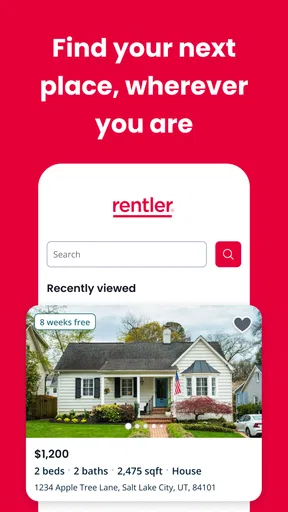
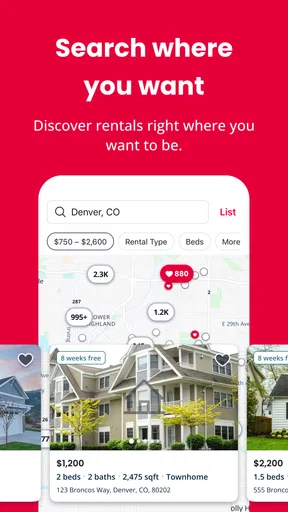
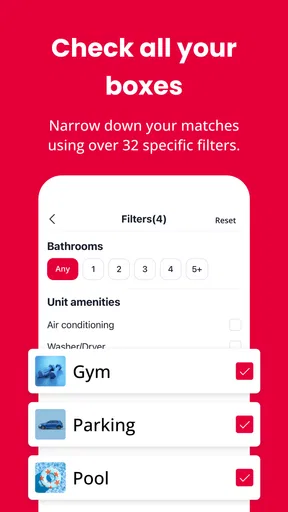
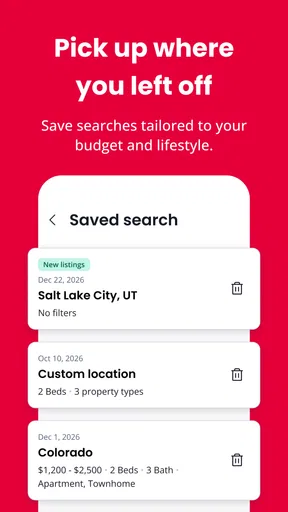
Our Review of Rentler
 Analysis by Appyee
I approached Rentler as someone trying to turn a vague housing search into a practical next step. The app sits in the House & Home category and is made by TenantCloud LLC, with a straightforward purpose: helping people look for a place while they are away from a desktop. That sounds simple, but the useful question is whether it actually helps during the messy parts of renting, when you are comparing options, checking details, and deciding which listing deserves your time.
My overall impression is positive. It is a free Android app with an Everyone age rating, and its current version is 2.9.1. It has reached over one hundred thousand installs and holds a 4.6 average from roughly a thousand ratings, which suggests that many users find the basic experience worthwhile. I would not treat those figures as a substitute for personal judgment, though. A rental search is too important to leave to a score alone, and the app works best when you use it as an organized starting point rather than as your only source of certainty.
From an open-ended search to a manageable shortlist
The starting condition for most people is familiar: you need a home, but your requirements are scattered across your head, messages, saved browser tabs, and perhaps a notebook. You may know the general area and the kind of property you want, while still being unsure about the exact neighborhood, acceptable compromises, or how quickly you need to move. Rentler is most useful at this stage because it gives that initial search a dedicated place on your phone.
I recommend deciding on your non-negotiables before browsing for too long. Separate the things that would genuinely rule out a property from the things you would merely prefer. For example, location and a workable monthly budget may be firm boundaries, while a particular layout or cosmetic feature may be flexible. This small preparation matters because rental listings can make every option look equally urgent. Without a filter in your own thinking, it is easy to spend time comparing homes that never had a realistic chance of fitting your life.
The app’s value is not just that it lets you look for a next place. It helps make the search mobile, which changes how the process happens. You can check possibilities during a commute, between appointments, or while visiting an area. That convenience is especially helpful for someone relocating, sharing the search with another person, or trying to understand what is available before arranging a viewing.
Still, I would not open it expecting the same kind of certainty you get from speaking directly with a property manager. A listing is an invitation to investigate, not a completed agreement. Details can change, availability can move quickly, and a photo cannot answer every practical question. Rentler can reduce the time spent finding candidates, but it cannot replace your own checks before committing.
How I would set up the search before tapping through listings
I found the best workflow begins with a short personal brief. Write down the preferred area, the maximum amount you can realistically manage, the earliest useful move timing, and the features that affect daily life. Think beyond appearance. A home may look attractive but be inconvenient if the route to work is poor, the surrounding streets do not suit you, or the space cannot accommodate the people and belongings that matter.
Then use the app to build a shortlist instead of trying to memorize every property. I would keep the first pass broad enough to learn what the local market looks like, then narrow it using practical judgment. This is one of the less obvious benefits of a mobile rental tool: it can show you where your expectations and the available choices do not match. If almost every suitable-looking option misses one requirement, that tells you whether to adjust the area, timing, or preference rather than repeatedly reopening the same kind of listing.
A useful habit is to record why each candidate survived the first pass. “Good location” is too vague to help later. I would note the specific reason: closer to a workplace, better suited to a shared household, or worth checking because the layout appears practical. This avoids a common problem in apartment searches, where several listings blend together after a few sessions. The app can help you discover options, but your own notes and decisions are what turn those options into a usable shortlist.
The step-by-step flow from discovery to a real decision
My suggested first step is to search with a clear purpose rather than scrolling without an endpoint. Start by looking for the type of place that could solve your immediate need, then inspect each promising result carefully. Pay attention to the complete presentation instead of reacting to the first photograph or the most appealing phrase. You are trying to answer, “Is this worth a follow-up?” rather than, “Do I like this image?”
Next, compare candidates side by side in your own system. Rentler is convenient for browsing, but the final comparison should include factors that may not be obvious in a quick glance: travel time, nearby services, space for your routine, and the practical effort of moving. If you are searching with a partner or family member, agree on a shared shortlist before contacting anyone. That prevents one person from arranging a viewing for a property the other person had already ruled out.
The third step is verification. Treat the information in a listing as the beginning of a conversation. Ask about the points that could change your decision, including whether the home is still available, what the next step is, and which details need clarification. This is where many app-based searches become less smooth: browsing is centralized, but the answers may come through a separate conversation. I prefer to prepare a small, consistent set of questions so that every promising property is evaluated on comparable information.
After that, decide whether the candidate deserves an in-person visit or another form of direct inspection. A phone screen can help eliminate unsuitable options, but it cannot reveal everything about noise, the feel of the surrounding area, the condition of shared spaces, or how the home works during an ordinary day. If a visit is possible, use it to test the assumptions you made while browsing. If it is not possible, be even more careful about asking for the information that matters most to your household.
Finally, keep the outcome separate from the excitement of finding something attractive. A good result is not simply a listing you like. It is a property that remains suitable after your questions are answered, your practical constraints are considered, and the next action is clear. Rentler helps with the path to that point, but the final judgment still belongs to you.
Where the handoffs become important
The first handoff is from the app to your own decision-making. Rentler can place possibilities in front of you, but you supply the context: who will live there, how the commute works, what you can afford comfortably, and which compromises would create problems later. I think this handoff is easy to underestimate because a polished listing can make the choice feel almost complete. It is not. The app is a discovery tool, while suitability is personal.
The second handoff is from your shortlist to the person responsible for the property. This is where a fast, clear message is more useful than a long explanation. Introduce yourself briefly, identify the listing, and ask the questions that determine whether a viewing or further conversation makes sense. Keep your details consistent across contacts, and reread before sending. A small mistake in a phone number, preferred time, or key requirement can create unnecessary back-and-forth.
The third handoff is between everyone involved in the household. If several people are searching, do not assume that sharing a listing automatically shares understanding. Send the exact property, explain why it made the shortlist, and identify the unresolved question. That gives the other person something concrete to respond to. For a roommate search, this can expose disagreements early, before they become a rushed decision.
There is also a handoff from digital information to real-world evidence. I would use the app to organize what deserves attention, then confirm the important details through direct communication and observation. This is particularly important when the rental would affect work, school, accessibility, pets, or a tight moving schedule. The more costly a mistake would be, the less comfortable I would feel relying on a quick in-app impression.
One practical tip is to create a simple status for every serious candidate: researching, needs a reply, viewing planned, or rejected. That workflow is more valuable than endlessly adding possibilities. It gives you a next action and stops the search from becoming a collection of attractive but inactive listings. The app supplies the doorway; a clear status system helps you walk through it.
What the app does well for different kinds of renters
Rentler is a strong fit for people who want a focused way to explore housing from a phone. It makes sense for a first-time renter who needs a less chaotic starting point, for someone moving to a new area, and for a busy renter who cannot stay at a computer while searching. It is also useful for people who prefer to review several possibilities before contacting anyone, because the mobile format supports quick checks throughout the day.
I can also see value for a person helping someone else search. A family member or friend can review options with the renter, discuss trade-offs, and help turn a broad area into a realistic shortlist. The app does not eliminate the need for communication, but it gives that conversation a shared object: a particular listing rather than an abstract description of “somewhere affordable nearby.”
The free price removes an obvious barrier for casual exploration. Someone who is only beginning to understand the market can investigate without first making a financial commitment to the search tool itself. The Everyone rating also makes it broadly approachable for households with different ages, although the responsibility for a rental decision still rests with the adults managing the move.
Its audience is narrower if you already have a trusted local contact, a highly specialized housing requirement, or a process that depends on a particular professional network. In those situations, a direct relationship or a specialist service may produce better results. I would also skip relying on it alone if your search requires extensive documentation, unusual accessibility arrangements, or detailed legal guidance. Those needs call for direct questions and appropriate professional advice in addition to browsing.
A realistic everyday scenario
Imagine that I have learned I need to move within the next few weeks, but I am still working full days and cannot spend an evening opening dozens of browser tabs. I would begin with a short list of areas that keep my commute reasonable. During a break, I would use Rentler to identify possible homes, dismissing anything that clearly conflicts with my basic needs and noting the reason for keeping the stronger candidates.
That evening, I would review the shortlist with the person sharing the move. We would compare the homes using the same questions: does the area work, is the layout suitable, and is there a clear reason to follow up? We would then choose the candidates that justify contact instead of sending messages to every result. This reduces duplicated effort and makes it easier to recognize when a response actually answers the question we asked.
If one property looks promising, the next step would be a direct exchange with the responsible contact. I would confirm the current status and arrange the appropriate next action. If the reply reveals a deal-breaking issue, the app has still done something useful: it helped us find and eliminate the option quickly. If the answers are encouraging, I would inspect the home and surrounding area before treating it as a genuine choice.
The outcome is not necessarily signing the first appealing property. A successful workflow may end with a better shortlist, a clearer understanding of the local choices, or the confidence to adjust the search. That is an important distinction. Rental apps are often judged by how quickly they produce a home, but a good result can also be avoiding a poor match before it consumes time, money, and energy.
How it compares with ordinary rental searching
The usual alternative is a mixture of browser searches, local recommendations, social posts, saved screenshots, and direct calls. That approach can uncover useful leads, especially when personal contacts know an area well, but it tends to scatter information. A dedicated app gives the early discovery stage more structure and makes it easier to search when you are away from a desk.
Compared with starting from a property manager’s own site, Rentler is more useful when you are still exploring rather than already committed to one provider. A manager’s site may be the better place to confirm details once you have found a likely home, while Rentler is better suited to the question, “What possibilities should I investigate?” I would use the two approaches together rather than treating them as rivals.
Compared with asking friends for recommendations, the app offers breadth and speed, while friends offer personal context. A recommendation may tell you whether an area suited someone else, but it may not match your budget, routine, or household. Rentler can widen the search, and personal contacts can add local perspective. The strongest workflow combines both without assuming either one is complete.
Compared with a spreadsheet, the app is more immediate for finding candidates, but a spreadsheet or notes application may still be better for detailed comparisons. This is one of my key trade-offs. I would not force Rentler to become the entire record of the move. Use it for discovery and early organization, then keep your own concise comparison notes for costs, questions, replies, and decisions. That division of labor makes the process clearer.
Where the flow breaks and how to recover
The first break happens when there are too many plausible listings. More choice does not automatically mean a better decision. If your shortlist keeps growing, stop browsing and apply a fixed rule: retain only the properties that meet the essential requirements and offer a specific reason for follow-up. This turns passive scrolling into a controlled process.
The second break occurs when listing information feels sufficient but leaves practical questions unanswered. My advice is to identify the missing detail before contacting anyone. A focused question is easier to answer than a general request for “more information,” and the response itself can tell you something about how clear and reliable the next stage may be. Do not let attractive presentation pressure you into skipping this step.
The third break is delayed communication. A promising listing can lose its value if the next action is unclear or if several people assume someone else is handling it. After every serious interaction, write down who is expected to do what next. If there is no clear next step, treat the property as uncertain rather than mentally counting it as secured.
Another limitation is that mobile convenience can encourage rushed decisions. A phone is excellent for quick discovery, but a small screen and a busy setting are not ideal for weighing a major housing commitment. I would browse on the go, then reserve a calm review period for comparing the strongest candidates. That simple separation protects the search from impulse.
There is also a point where the app should not be your main tool. If your requirements are unusually specific, if you need expert help interpreting an agreement, or if the search involves serious financial or legal risk, move beyond app browsing quickly. Use direct communication and qualified advice where appropriate. Rentler can help you find the conversation, but it is not a replacement for the conversation itself.
My conclusion after following the full workflow
Rentler succeeds when I treat it as the first organized stage of a rental search. It helps turn an open-ended need into discoverable options, supports browsing away from a computer, and gives households a practical way to begin discussing real properties. Its free access and broad availability make it easy to try, while the strong average rating and over one hundred thousand installs show that it has attracted a substantial user base.
The app is not a magic shortcut from search to keys. The important work still happens in the handoffs: deciding what matters, comparing candidates, asking precise questions, communicating with the responsible person, and checking reality before committing. That is not a flaw unique to Rentler; it is the nature of renting. The platform is most valuable when it reduces the disorder at the beginning without encouraging you to confuse a listing with a finished agreement.
My recommendation is to use Rentler as a focused discovery and shortlist tool, then take control of the verification and decision stages yourself. It is a good choice for a mobile-first search, especially when you are starting from uncertainty or exploring a new area. I would choose a different primary approach if I already had a trusted local source or needed specialized guidance, but for ordinary renters who want a practical place to begin, it earns a place in the workflow.
Before downloading, remember that the app requires Android 6.0 or later. For compatible devices, the free entry point makes experimentation easy: define your needs, search with a purpose, keep the shortlist disciplined, and use every promising result as a reason to ask better questions. That is where Rentler provides its real value—not in making the decision for me, but in helping me reach a more informed one.
Verdict
Strengths of Rentler
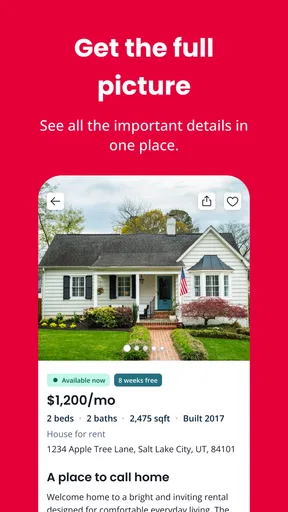
- Searches rentals by location, price, bedrooms, and property type.
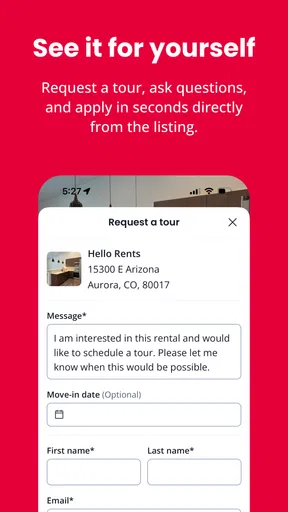
- Direct messaging helps applicants contact landlords without extra platforms.
- Listing details often include photos, amenities, and lease information.
- Useful filters make it easier to narrow down suitable rental homes.
- Rental application tools can simplify submitting information to landlords.
Limitations of Rentler
- Listing availability and accuracy depend on individual landlords.
- Some properties may require fees or deposits outside the app.
- Response times can vary significantly between property managers.
- Not every rental market has the same number of available listings.
- Applicants may need to provide sensitive personal information during applications.
Other Releases by TenantCloud LLC
View All
TenantCloud
House & Home4.1
Similar Picks in This Category
View All
Universal TV Remote Control
CodeMatics Media Solutions3.9

AlfredCamera Home Security app
Alfred Systems Inc.4.7

Planner 5D: AI Home Design
Planner 5D4.5

Universal Tv Remote-Cast to TV
One Music Player4.1

Zillow: Homes for Sale & Rent
Zillow Group4.8

99acres Buy/Rent/Sell Property
infoedge.com4.3
Frequently Asked Questions
What is Rentler, and what can I use it for?
Rentler is a rental marketplace and property management platform designed to help people find homes, apartments, rooms, and other rental properties. From the app, renters can browse available listings, contact landlords, schedule viewings, submit applications, and in some cases pay rent online. Its usefulness depends on whether landlords in your area actively use the platform.
Can I trust the rental listings and landlords on Rentler?
Rentler provides a convenient place to search for rental housing, but users should still verify every listing independently. Before sending money or personal information, confirm the property address, arrange an in-person or live video tour, check the landlord’s identity, and compare the rent with similar local properties. Be especially cautious of requests for cash, gift cards, wire transfers, or payment before viewing the home.
Does Rentler charge renters any fees?
Some Rentler features may be free, while certain services can involve fees depending on the landlord, property, location, or transaction. Possible costs may relate to rental applications, screening reports, online payments, or other optional services. Review the price shown before submitting an application or payment, and remember that fees may be separate from the monthly rent, security deposit, or move-in charges.
Can I apply for a rental and pay rent through Rentler?
In supported listings, Rentler may allow renters to complete an application, provide information for screening, communicate with the property manager, and make rent payments online. Availability varies by landlord and property, so not every listing will offer the same tools. Carefully review the application requirements, payment schedule, processing fees, and refund policy before completing any transaction.
Is Rentler available on both Android and iPhone, and is it easy to use?
Rentler is intended to provide a mobile rental-search experience, allowing users to browse listings, save potential homes, and communicate while away from a computer. The exact availability and feature set can change by operating system, region, and app version. After installing it, check that your device meets the requirements and enable notifications if you want timely replies from landlords.
